Client Portals

Bank-branded portals, scoped to every party on a transaction. Your clients, deal counterparties, and your team each log in to see exactly what they should, and nothing they shouldn't.

WHAT YOUR CLIENTS SEE

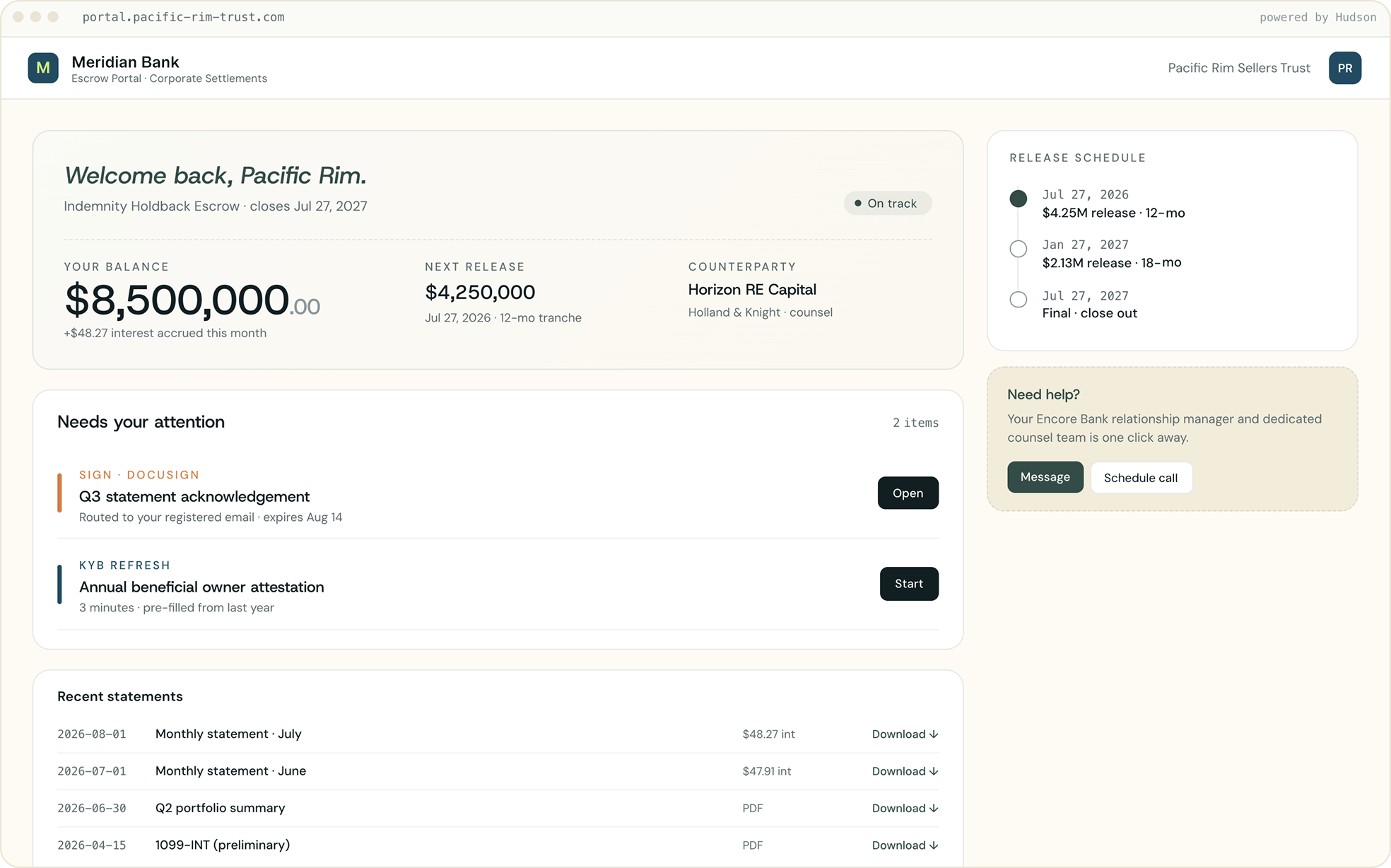
Branded to look like your bank

Your logo, your colors, your domain. Clients and counterparties log in to view balances, upload documents, pull statements, and approve disbursements, all self-service, all under your bank's brand.
WHO SEES WHAT

Dedicated portals, different views

Everyone logs into their dedicated portal and sees only their slice of the deal. Your client sees their accounts, a deal counterparty sees only their transactions, your bankers see the full relationship, and your compliance team gets a read-only view.

FOR YOUR CLIENT
Corporate user

A self-serve view of their accounts. Can view, upload, download, and approve.

See account balances and transactions
Upload documents
Pull statements + 1099s
Approve disbursements
See other clients’ data
FOR YOUR BANKing team
Treasury Ops

Full read-write across the relationships they own. Can act on behalf of clients, with attribution.

All client accounts in one view
Initiate payments + transfers
Edit rules per relationship
Pull risk & activity reports
Act on behalf, with attribution
FOR Internal audit Team
Compliance

Read-only access scoped to what they’re auditing.

Read every transaction
See approval history
Export reports
Move funds
Edit any setting

Frequently asked questions

Who can we give portal access to?

Your clients, the counterparties on a transaction (buyer, seller, attorney), and your own team, RMs, treasury ops, and compliance. Each gets a role-based view scoped to exactly what they should see.

Can one party see another party's information?

No. Access is scoped per user, per transaction. A counterparty sees only their slice, a client sees only their own accounts, and you control what every role can see.

How do users log in, and is it secure?

Each user logs in with their own credentials, role-based permissions, and multi-factor authentication (MFA).

What can clients and counterparties actually do?

View balances and status, upload required documents, pull statements, and approve disbursements.

What happens if someone uploads the wrong document?

Hudson reads the provided upload and flags a mismatch on the spot, prompting the party to re-upload before it ever reaches your team.